I upgraded everything for wealthlab (newest dotnet) on win 11 . it still stuck on a small blank window in the middle of screen. The small window disappeared after I end wealthlab from task manager. It happens often. Can you please help?
Rename
You need to tell us what's "special" about your machine so we can understand why your system is seeing this problem and the rest of us are not. Include hardware specs because there might be something "special" about your hardware setup. If you think it's OS related (Is everything else working?), include that too.
Meanwhile, I would temporarily install WL on another system so you're up and running again.
Meanwhile, I would temporarily install WL on another system so you're up and running again.
Rename your Settings.txt file in your User Data folder for a test. If that works, then it's a settings issue.
just did. typicallly the blank screen showed up during week days. I will track it this week
QUOTE:
the blank screen showed up during week days.
You should have mentioned that before. That does sound like a WL startup setting. There's a command line switch to tell WL to startup with a different Workspace than your default; the default Workspace might be the problem.
is there any log messge to check?
QUOTE:
Is there any log message to check?
Probably not since you "may" be stuck in the middle of startup before the logger gets started. If you think it's the default Workspace that's hanging it up, then I would use the WL command line argument [/W "named workspace"] to try starting it with an alternative Workspace.
The suggestion in Post #2 should also work because the default Workspace is called out in the Settings.txt file. If you rename that file, then there will be no default Workspace to hang the startup.
It might be safer to not have a default Workspace. I start the named Workspace I want after WL gets started.
It sounds like WL is starting sometimes? other times it doesn't? It's not at all clear to me what you're seeing.
1. What does the blank window look like? Give us a screenshot.
2. Do you ever see the dark green splash dialog when starting WL?
3. If yes, what is the last message displayed in that dialog?
1. What does the blank window look like? Give us a screenshot.
2. Do you ever see the dark green splash dialog when starting WL?
3. If yes, what is the last message displayed in that dialog?
the error doesn't happen when startup. it happens in the middle of the day. a small blank window pops up
Now I can't log in alpaca anymore , even after switching back to old setting file. I have downloaded latest extension of alpaca and wealthlab
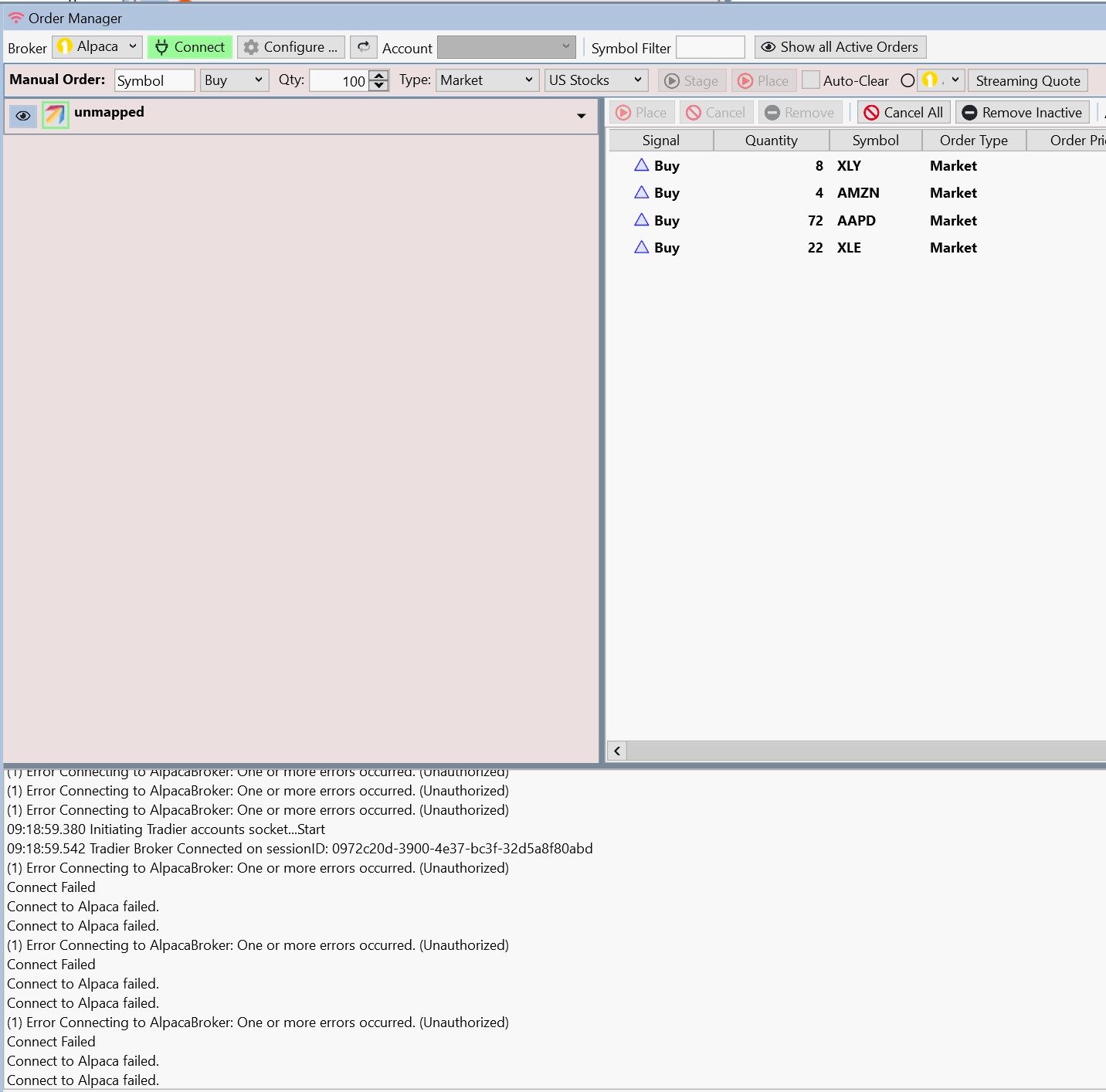 .
.but I can load the symbol from data manager.
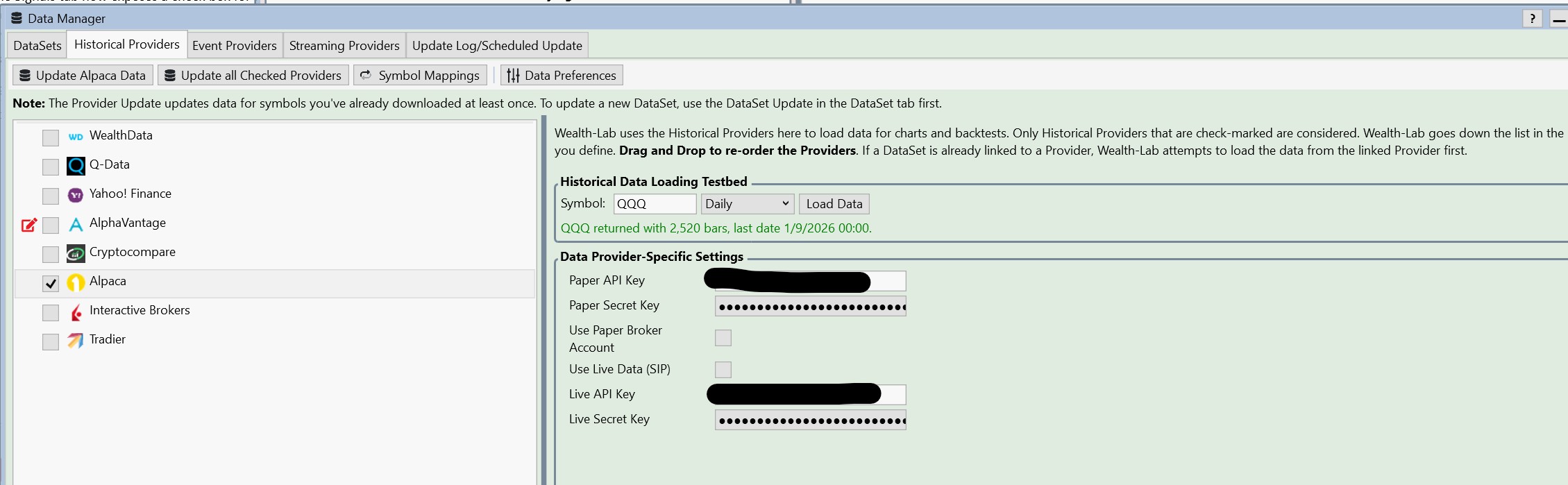
any suggestion?
Re: the error doesn't happen when startup. it happens in the middle of the day. a small blank window pops up
>> It's still not clear what you're seeing, but at least I understand it's not at startup.
Alpaca frequently has backend errors. Although this one is now resolved, you can subscribe to these notifications.
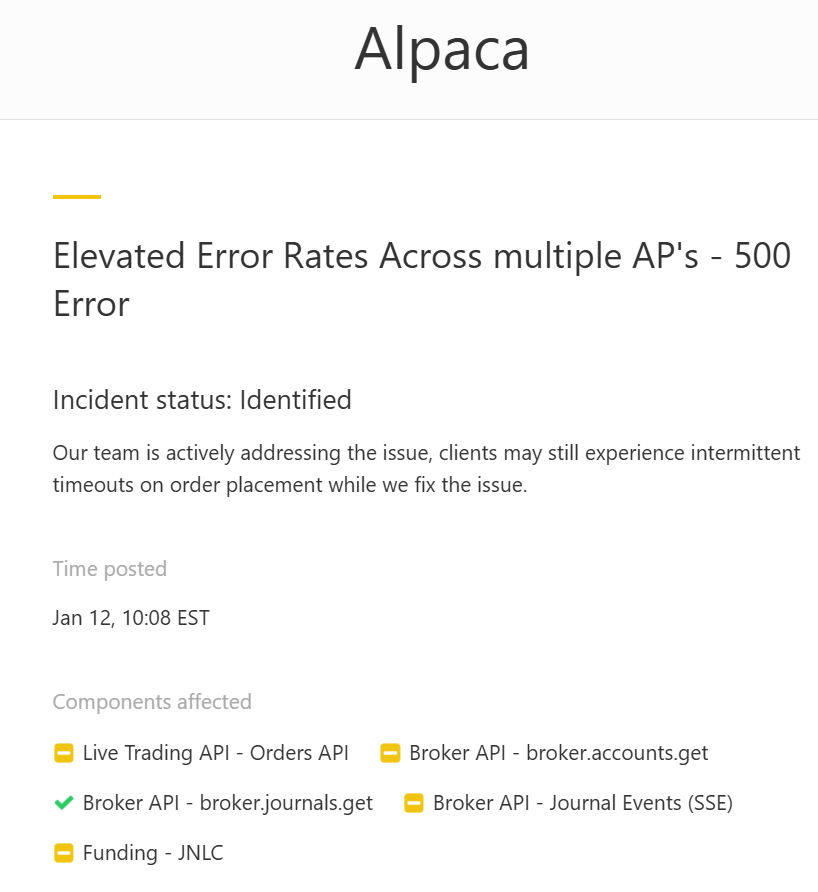
>> It's still not clear what you're seeing, but at least I understand it's not at startup.
Alpaca frequently has backend errors. Although this one is now resolved, you can subscribe to these notifications.
Well, here's another update -
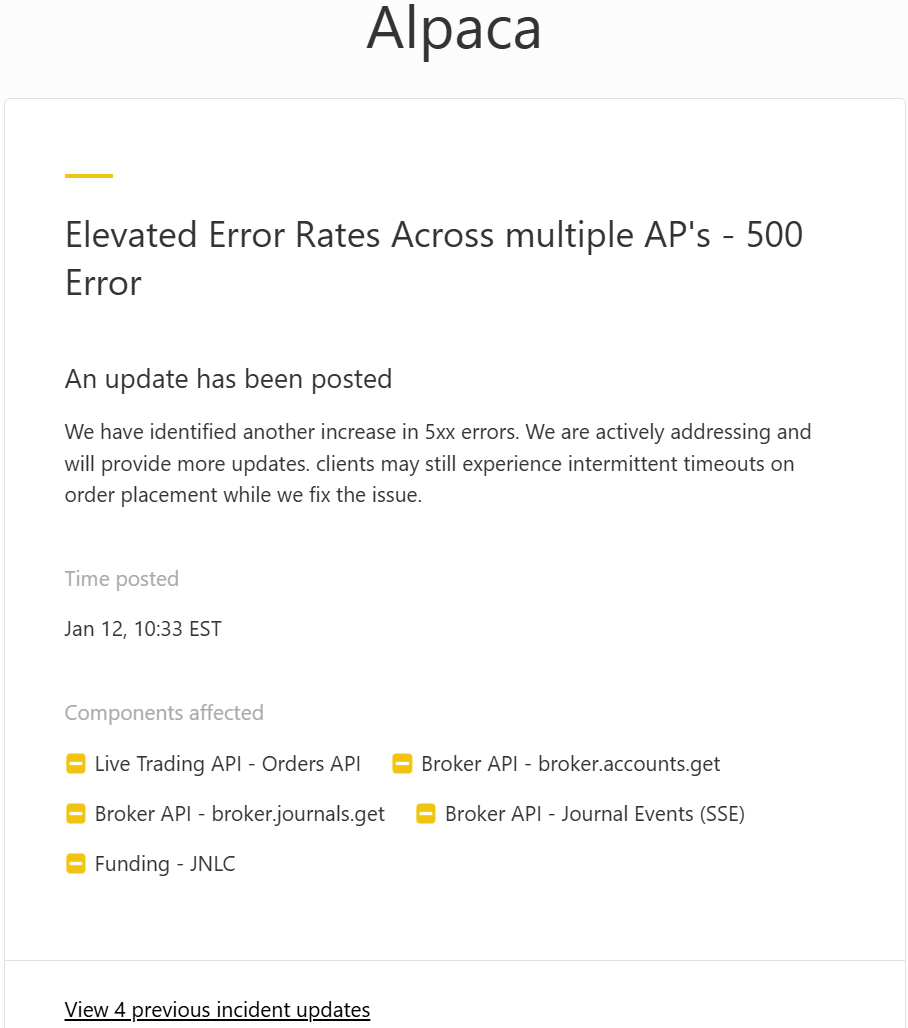
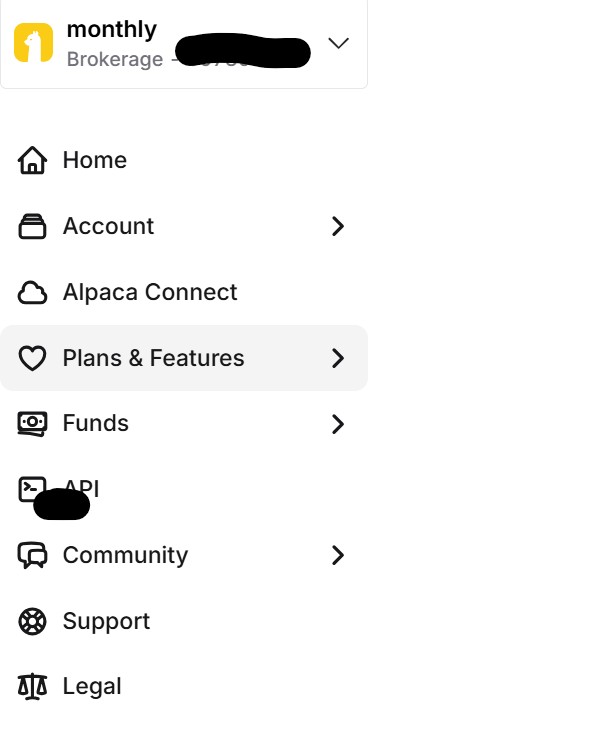
I can't see my api key anymore
thanks, let me wait and see
I still can't connect to the alpaca, I wonder if you see the similar issue?
when I click api, it goes to documentation page
Go to: https://app.alpaca.markets/account/login
Enter your login credentials and press continue
In the upper left corner you should see a small box with your trading account number. Click on the dropdown arrow to expose the account details.
Click on Account Management button. Your profile settings will be displayed.
There is a list of options you can click, Manage Accounts, Account Documents, etc.
Click on Manage Accounts
Your API key will be shown in the Key field
Your API Secret Key will not be shown. The API secret key is only shown the first time you generate keys or if you regenerate keys.
If you did not record your API secret key somewhere then you'll need to regenerate (new) keys. If you regenerate keys then you'll be able to see both the new API key and new API Secret key. These correspond to the settings values you need to use in Wealth-Lab 8 in the Data Manager -> Historical Providers -> Alpaca data provider-specific settings.
Enter your login credentials and press continue
In the upper left corner you should see a small box with your trading account number. Click on the dropdown arrow to expose the account details.
Click on Account Management button. Your profile settings will be displayed.
There is a list of options you can click, Manage Accounts, Account Documents, etc.
Click on Manage Accounts
Your API key will be shown in the Key field
Your API Secret Key will not be shown. The API secret key is only shown the first time you generate keys or if you regenerate keys.
If you did not record your API secret key somewhere then you'll need to regenerate (new) keys. If you regenerate keys then you'll be able to see both the new API key and new API Secret key. These correspond to the settings values you need to use in Wealth-Lab 8 in the Data Manager -> Historical Providers -> Alpaca data provider-specific settings.
I fixed with new key/secret
It's hit and miss with Alpaca today. I received more than 12 updates on the issues, but at 13:50 EST they say, "
Incident resolved
Our team has mitigated the incident. All systems are operational and customer impact has ceased. We are continuing our root cause analysis to prevent recurrence.
Time posted
Jan 12, 13:50 EST
Incident resolved
Our team has mitigated the incident. All systems are operational and customer impact has ceased. We are continuing our root cause analysis to prevent recurrence.
Time posted
Jan 12, 13:50 EST
I still get the blank screen, wealthlab stuck

QUOTE:
I still get the blank screen, wealthlab stuck
I'm "guessing" this is a WL extension. Check to be sure all the WL extensions are up to date. If they are, then start removing extensions from the WL install directory until the problem goes away. When done, tell us which extension is having the problem.
You might want to vote up the following feature request to help find the problem.
https://www.wealth-lab.com/Discussion/Commandline-option-to-load-WL8-without-installed-extensions-11453
how to remove interactive broker extension
QUOTE:
how to remove interactive broker extension
You need to remove its DLL from the WL install directory. Just move it to another folder, but get it out of the WL install folder where the main application resides so WL can't find it when WL starts up.
When doing this removing, be sure WL is not running.
Also please try Build 152 and see if that helps.
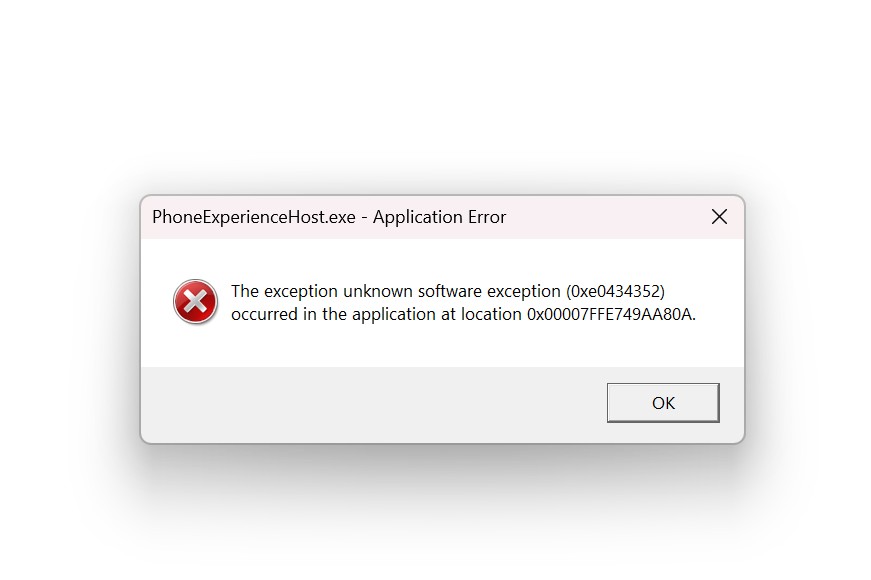
I have removed ibkr, it is stuck again with this screen
When does that happen? PhoneExperienceHost.exe belongs to Microsoft's Phone Link app (previously known as Your Phone).
I suggest you paste that error into Grok or ChatGPT and follow the the suggestions.
fwiw, for error dialogs like that, just hit Ctrl+C to copy all the text. You don't need to capture an image.
I suggest you paste that error into Grok or ChatGPT and follow the the suggestions.
fwiw, for error dialogs like that, just hit Ctrl+C to copy all the text. You don't need to capture an image.
where to see the error log for wealthlab
everything is blank screen
QUOTE:
I have removed ibkr, it is stuck again with this screen
QUOTE:
PhoneExperienceHost.exe belongs to Microsoft's Phone Link app
PhoneExperienceHost.exe has nothing to do with WL. Are you getting this error with a WL startup? I'm thinking these errors are unrelated to WL and more related to your system itself.
I would do a quick virus scan. The real question is whether this is a hardware or OS system problem? You need to have a professional look at your system to determine which it is. If it's something corrupted in the OS, there are Microsoft tools to fix that.
The good news is that it looks unrelated to WL. But WL is very resource hungry, so if there's something wrong with your system, WL would be the first application to struggle with it.
QUOTE:
where to see the error log for wealthlab?
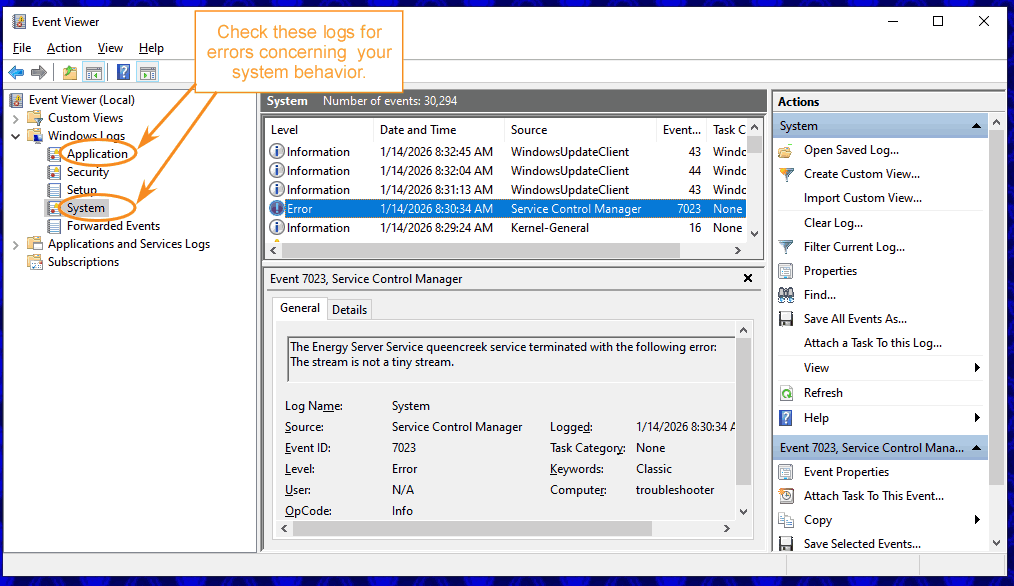
I think this problem is unrelated to WL, so it won't show up in the WL error log. The error would show up in the Windows Event Viewer. Check the Event Viewer for errors under "System" and "Application" or have an OS troubleshooter do that for you.
Since this problem is unrelated to WL, you need to use the Windows Event Viewer to get a handle on these system-level error messages. If you're uncomfortable troubleshooting system-level diagnostics yourself, then get a professional to help you. You can also move your discussion to a Windows diagnostic forum.
As I mentioned, there are Microsoft tools for patching a corrupted OS to fix these kinds of problems once you identify them.
As I mentioned, there are Microsoft tools for patching a corrupted OS to fix these kinds of problems once you identify them.
it crashed again. it could be related strategy monitoring. [image]10359-Screenshot-2026-01-30-214318-jpg [/image]
[/image]

As I mentioned before, what you are experiencing is not a WealthLab problem. None of the rest of us WL users are seeing this behavior. You need to take your discussion to a Windows diagnostic forum so they can troubleshoot your OS or have a Windows professional look at your machine.
As the Google AI screenshot notes, it's likely corrupted OS files, but it might also be something like badly seated RAM SIMMs/DIMMs.

Meanwhile, I would install WL on a different machine so you are up and running again before your current system fails altogether.
As the Google AI screenshot notes, it's likely corrupted OS files, but it might also be something like badly seated RAM SIMMs/DIMMs.
Meanwhile, I would install WL on a different machine so you are up and running again before your current system fails altogether.
Your Response
Post
Edit Post
Login is required